
Authentication & Onboarding
Login
Path: /login
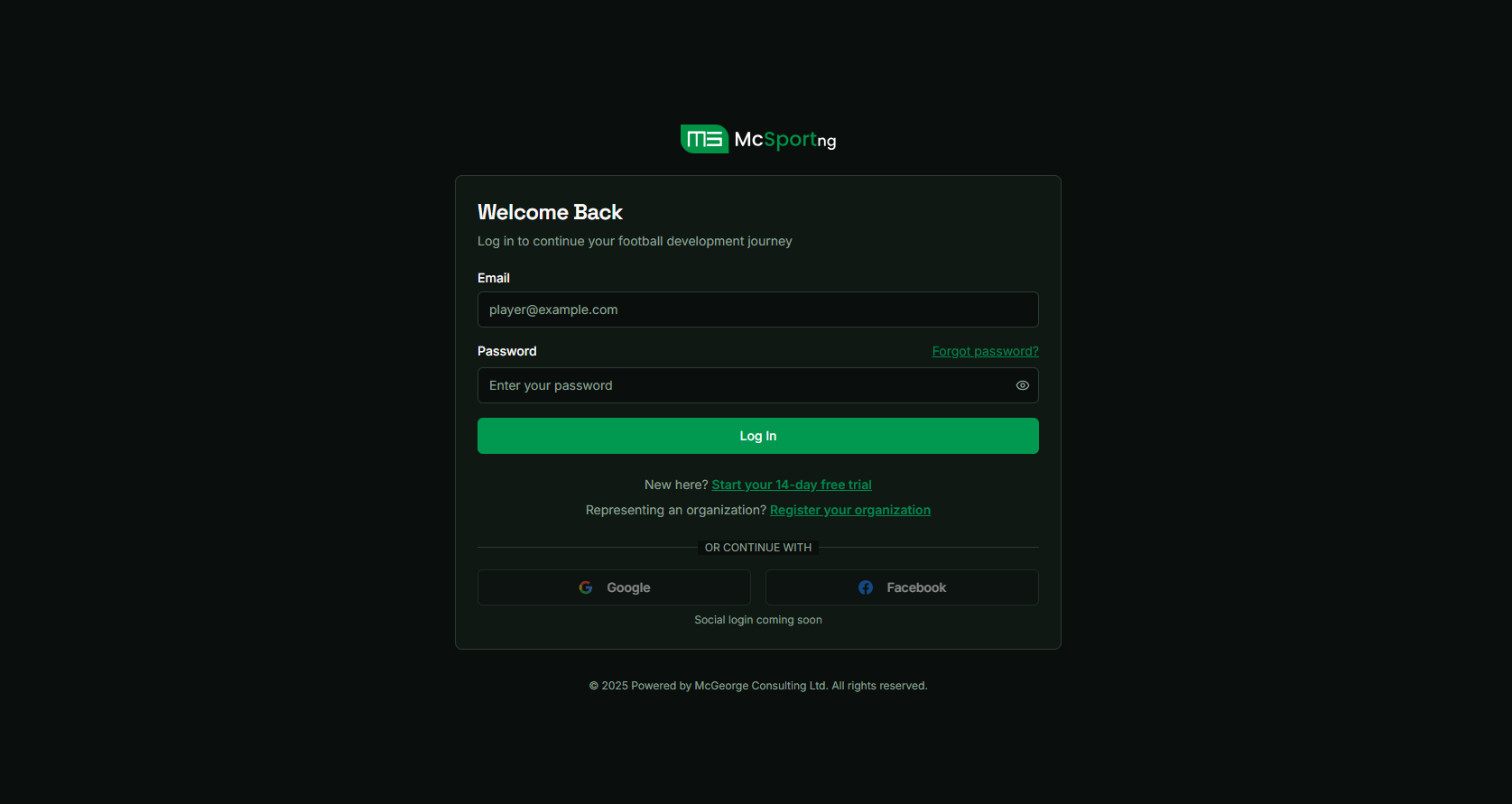
Login Page Interface
Features
- Email and Password Authentication - Standard credential-based login
- Automatic Role-Based Redirection - Users are redirected based on their assigned role
- Error Handling - Clear error messages for invalid credentials
- Password Recovery Flow - Forgot password functionality
Role-Based Redirection
| User Role | Redirect Path |
|---|---|
| Organization Admin | /org/dashboard |
| Team Admin | /team/dashboard |
| Coach | /coach/dashboard |
| Player/Athlete | /player/profile |
| Super Admin | /super-admin/organizations |
Test Cases
TC-AUTH-001: Valid Login
Steps:
- Navigate to /login
- Enter valid email and password
- Click "Login" button
Expected Result: User is redirected to role-appropriate dashboard
TC-AUTH-002: Invalid Credentials
Steps:
- Navigate to /login
- Enter invalid email or password
- Click "Login" button
Expected Result: Error message displayed, user remains on login page
TC-AUTH-003: Forgot Password
Steps:
- Navigate to /login
- Click "Forgot Password" link
- Enter registered email
- Submit request
Expected Result: Password reset email sent, confirmation message displayed
Sign Up
Path: /signup
Features
- Multi-Step Registration - Progressive form with role-based fields
- Role Selection - User selects their role during registration
- Password Strength Validation - Real-time password strength indicator
- Email Validation - Format and uniqueness validation
- Redirect on Success - Automatic redirect to onboarding or dashboard
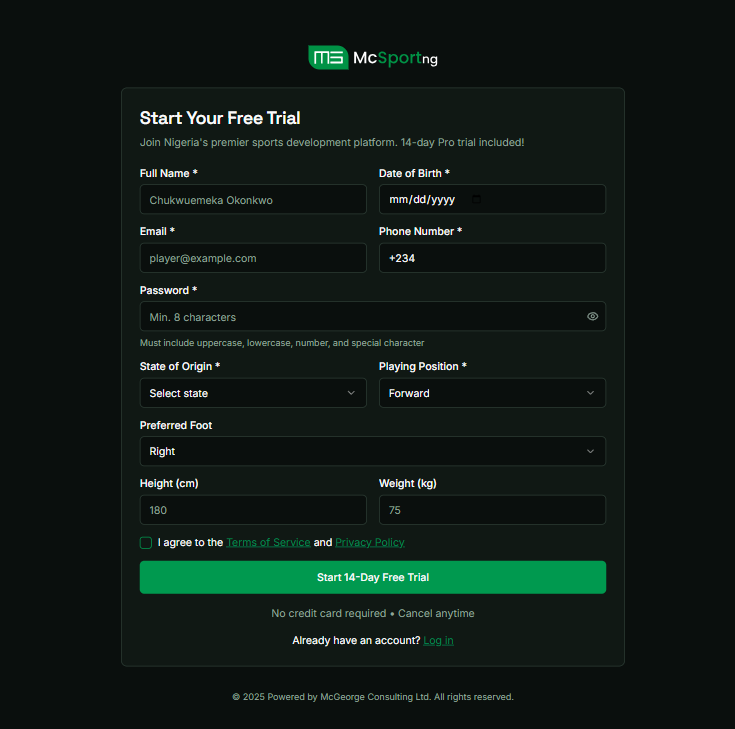
Organization Sign Up
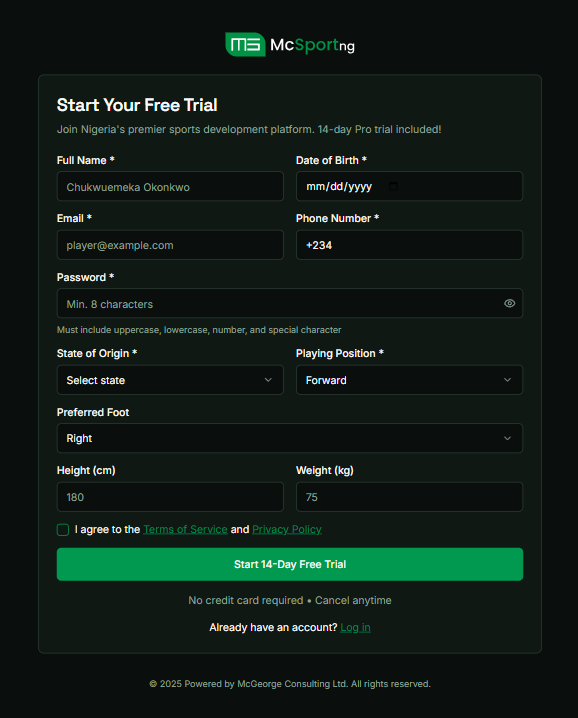
Player Sign Up
Registration Steps
Step 1: Basic Information
Email, password, confirm password, full name
Step 2: Role Selection
Choose user role: Organization Admin and Player
Step 3: Role-Specific Information
Additional fields based on selected role (organization name, team affiliation, etc.)
Step 4: Terms and Confirmation
Accept terms of service, privacy policy, complete registration
Validation Rules
| Field | Validation Rule |
|---|---|
| Valid email format, unique in system | |
| Password | Minimum 8 characters, 1 uppercase, 1 lowercase, 1 number, 1 special character |
| Confirm Password | Must match password field |
| Full Name | Minimum 2 characters, letters and spaces only |
Test Cases
TC-SIGNUP-001: Successful Registration
Steps:
- Navigate to /signup
- Complete all registration steps with valid data
- Accept terms and conditions
- Submit registration
Expected Result: Account created, user redirected to onboarding or dashboard
TC-SIGNUP-002: Weak Password Rejection
Steps:
- Navigate to /signup
- Enter password that doesn't meet strength requirements
- Attempt to proceed
Expected Result: Error message displayed, user cannot proceed
TC-SIGNUP-003: Duplicate Email
Steps:
- Navigate to /signup
- Enter email that already exists in system
- Complete registration form
- Submit registration
Expected Result: Error message indicating email already registered
Onboarding Flow
After successful registration, users are guided through a role-specific onboarding process:
Organization Admin Onboarding
- Complete organization profile
- Set up billing information
- Create first team (optional)
- Invite team admins (optional)
Team Admin Onboarding
- Complete team profile
- Add team logo and colors
- Invite players and coaches
Coach Onboarding
- Complete coaching profile
- Set certifications and qualifications
- Set availability for lessons
Player Onboarding
- Complete athlete profile
- Add physical stats and position
- Upload profile photo
- Add career highlights (optional)